bootsgrid
In the ever-evolving world of e-commerce, having a robust and efficient online store is crucial to staying ahead of the competition. Magento2, one of the most powerful e-commerce platforms available, offers a wealth of features and flexibility to create a tailor-made shopping experience. However, to truly harness its potential, it’s essential to follow best practices for optimizing your Magento2 Website Service. This guide will walk you through some key strategies and considerations for maximizing your Magento2 store’s performance, ensuring it delivers a seamless and engaging user experience.
- Choose the Right Magento2 Website Service Provider
The foundation of a successful Magento2 store starts with selecting a reliable Magento2 Website Service provider. Your provider should not only be skilled in Magento2 but also have experience with the specific needs of your business. Look for providers with a strong track record in Magento2 Website Service and those who offer comprehensive support, including Magento Extension Installation or Magento Module Installation.
Key Considerations:
- Experience: Ensure they have a history of successful Magento2 implementations.
- Support: Check if they offer ongoing Adobe Commerce Support to handle any issues post-launch.
- Customization: They should be capable of tailoring solutions to fit your unique requirements.
- Optimize Magento Extension Installation
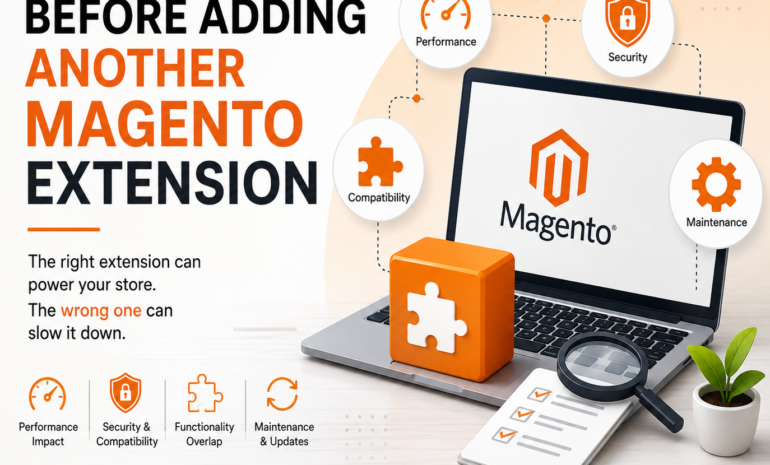
Magento2’s flexibility is significantly enhanced by its extensions. However, the installation and management of these extensions must be handled carefully. Proper Magento Extension Installation is crucial to maintaining site performance and security.
Best Practices for Extension Installation:
- Choose Reputable Extensions: Only install extensions from trusted sources or Magento Marketplace to avoid security risks.
- Regular Updates: Keep your extensions updated to benefit from the latest features and security patches.
- Test Before Deployment: Test extensions in a staging environment before going live to ensure they don’t conflict with existing functionalities.
- Leverage Magento2 Extension Installation for Enhanced Functionality
Magento2 Extension Installation isn’t just about adding new features but also about improving overall functionality. Extensions can enhance everything from SEO to customer engagement, so choose those that align with your business goals.
Popular Extensions to Consider:
- SEO Extensions: Enhance your store’s visibility on search engines.
- Performance Extensions: Improve site speed and user experience.
- Analytics Extensions: Gain insights into customer behavior and sales trends.
- Ensure Seamless Magento Module Installation
Magento Modules are integral to extending the functionality of your Magento2 store. Magento Module Installation should be done with precision to avoid issues that could affect your site’s performance.
Tips for Effective Module Installation:
- Compatibility Check: Ensure that the module is compatible with your current version of Magento2.
- Backup Your Store: Always create a backup before installing new modules to prevent data loss.
- Monitor Performance: After installation, monitor your site to ensure that the new module is not causing performance issues.
- Prioritize Adobe Commerce Support
Adobe Commerce, the enterprise version of Magento2, offers additional features and enhanced support. If you’re using Adobe Commerce, leveraging Adobe Commerce Support is essential for maintaining optimal performance.
Benefits of Adobe Commerce Support:
- Technical Assistance: Get expert help with complex issues and troubleshooting.
- Updates and Patches: Receive timely updates and security patches to keep your store secure.
- Best Practices: Access guidance on best practices to optimize your store’s performance.
- Regularly Review and Update Adobe Commerce Extensions
Adobe Commerce Extensions can significantly enhance your store’s functionality and customer experience. However, keeping these extensions up to date is crucial to ensure compatibility and security.
Best Practices for Managing Extensions:
- Regular Updates: Apply updates regularly to benefit from new features and security improvements.
- Compatibility Checks: Verify that updates do not conflict with other extensions or customizations.
- Review Performance Impact: Assess how updates affect your site’s performance and make necessary adjustments.
- Optimize Store Performance
Performance is a key factor in user satisfaction and search engine rankings. To optimize your Magento2 store’s performance, follow these practices:
Performance Optimization Tips:
- Caching: Utilize Magento’s built-in caching mechanisms to reduce load times.
- Image Optimization: Compress and resize images to enhance page load speed.
- Database Management: Regularly clean and optimize your database to maintain efficiency.
- Content Delivery Network (CDN): Use a CDN to distribute content and improve load times for users across the globe.
- Enhance Security Measures
Security is paramount in e-commerce. Protecting your Magento2 store from vulnerabilities should be a top priority.
Security Best Practices:
- Regular Updates: Keep Magento2 and all extensions updated to address security vulnerabilities.
- Use Strong Passwords: Implement strong password policies for admin accounts.
- Secure Payment Gateways: Ensure that your payment processing is secure and complies with industry standards.
- Monitor and Analyze Store Performance
Regular monitoring and analysis are essential for ongoing optimization. Use Magento’s built-in analytics tools and additional analytics extensions to gain insights into your store’s performance.
Key Metrics to Track:
- Traffic and Conversion Rates: Monitor visitor behavior and conversion rates to identify areas for improvement.
- Sales and Revenue: Analyze sales data to understand which products are performing well and which need attention.
- Customer Feedback: Collect and review customer feedback to make necessary adjustments to improve the user experience.
- Invest in Continuous Improvement
E-commerce is a dynamic field, and continuous improvement is key to staying competitive. Regularly review your Magento2 store’s performance and look for opportunities to enhance functionality, security, and user experience.
Strategies for Continuous Improvement:
- Stay Informed: Keep up with the latest Magento2 updates and industry trends.
- Solicit Feedback: Regularly gather feedback from customers and stakeholders to guide improvements.
- Evaluate Performance: Periodically assess your store’s performance and implement necessary changes.
Conclusion
Optimizing your Magento2 Website Service involves a multifaceted approach that includes selecting the right service provider, effectively managing extensions and modules, prioritizing support, and continuously improving performance and security. By adhering to these best practices, you can ensure that your Magento2 store operates efficiently, delivers an exceptional user experience, and remains competitive in the ever-evolving e-commerce landscape. Whether you’re just starting with Magento2 or looking to refine your existing setup, these strategies will help you make the most of your Magento2 Website Service.