 bootsgrid
One of Magentos greatest strengths is its flexibility.
Whether a business wants advanced search functionality, loyalty programs, payment integrations, shipping automation, marketing tools, or inventory management features, there is often an extension available to help achieve the goal.
This flexibility allows merchants to enhance their stores without building every feature from scratch.
However, there is also a downside.
Many Magento stores accumulate extensions over time without carefully evaluating whether they are truly necessary, compatible, or beneficial in the long run.
What starts as a quick solution can eventually lead to slower performance, upgrade complications, security concerns, and increased maintenance costs.
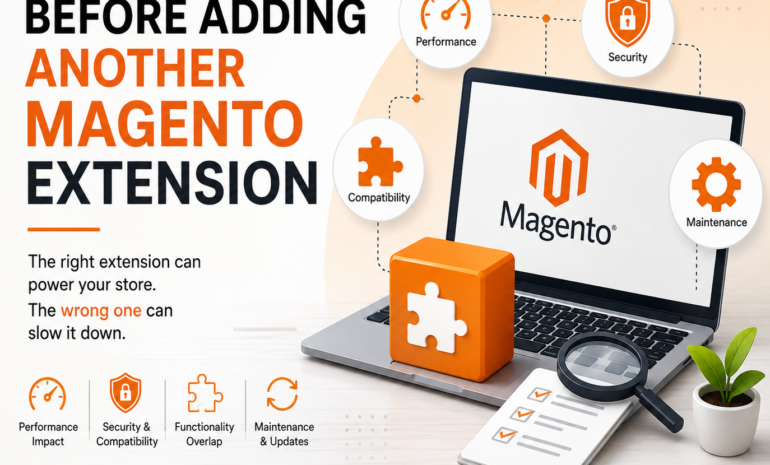
Before installing another Magento extension, businesses should take a step back and evaluate several important factors.
Making the right decision today can prevent significant challenges tomorrow.
Why Businesses Continue Adding Extensions
As ecommerce businesses grow, new requirements naturally emerge.
Examples include:
- Marketing automation
- Customer loyalty programs
- Product recommendations
- Payment gateway integrations
- Shipping solutions
- ERP connectivity
- Customer support tools
When a new requirement appears, installing an extension often seems like the fastest and most affordable solution.
In many cases, it is.
The problem occurs when extensions are added without considering their long term impact on the overall Magento ecosystem.
Over time, a store can become increasingly complex, making management, maintenance, and upgrades more difficult.
Not Every Extension Solves a Problem
One of the most common mistakes businesses make is assuming that every available extension adds value.
In reality, some extensions solve genuine business challenges while others simply introduce additional complexity.
Before installation, ask:
- What specific problem are we solving?
- Is this functionality genuinely needed?
- Will customers benefit from this feature?
- Does the feature support business goals?
Businesses should carefully evaluate available Magento Extensions before installation to ensure they align with long term business requirements, performance expectations, and compatibility standards.
Installing software simply because it offers interesting features can create unnecessary maintenance obligations.
Check Compatibility With Your Magento Version
Compatibility should always be one of the first considerations.
An extension may work perfectly with one Magento version while creating issues with another.
Before installation, verify:
- Magento version compatibility
- PHP version compatibility
- Third party dependency requirements
- Hosting environment requirements
Ignoring compatibility checks can lead to unexpected system behavior and costly troubleshooting efforts.
Evaluate the Extension Developer
The quality of an extension often reflects the quality of the developer behind it.
Before installing an extension, review:
Update History
Is the extension actively maintained?
Regular updates typically indicate ongoing support and compatibility improvements.
Support Availability
Can assistance be obtained if problems occur?
Reliable support becomes particularly important during upgrades and troubleshooting.
User Feedback
Reviews and community feedback often reveal issues that may not be obvious during initial evaluation.
Documentation Quality
Good documentation simplifies installation, customization, and long term maintenance.
Choosing reputable developers can significantly reduce future risks.
Consider the Impact on Website Performance
Performance should never be overlooked.
Every extension adds additional functionality, but it may also add:
- Database queries
- Server processing
- API requests
- Frontend assets
- Additional code execution
Individually, the impact may appear small.
Collectively, however, multiple extensions can significantly affect website performance.
Businesses should consider:
- How resource intensive the extension is
- Whether it introduces external dependencies
- Its impact on page loading speed
- Its effect on checkout performance
Performance testing before and after installation can provide valuable insights.
Review Security Implications
Security should be part of every extension decision.
Poorly maintained extensions may introduce vulnerabilities that create risks for both customers and businesses.
Potential concerns include:
- Unauthorized access
- Data exposure
- Malware risks
- Compliance issues
Before installation, consider:
- Security update frequency
- Developer reputation
- Known vulnerabilities
- Security best practices
A secure store requires secure extensions.
Look for Functional Overlap
Many Magento stores contain multiple extensions that perform similar tasks.
Examples include:
- Multiple SEO extensions
- Multiple marketing tools
- Multiple reporting solutions
- Multiple search enhancements
Functional overlap often creates:
- Extension conflicts
- Increased complexity
- Performance degradation
- Higher maintenance costs
Before installing a new extension, determine whether existing tools already provide similar functionality.
Understand the Upgrade Impact
Magento upgrades are essential for maintaining security and performance.
However, extensions frequently become one of the most challenging aspects of upgrade projects.
Questions to consider include:
- Is the extension actively updated?
- Does the developer support future Magento releases?
- How quickly are compatibility updates provided?
Unsupported extensions can delay upgrades and increase project costs.
Thinking about future upgrades before installation can prevent major complications later.
Evaluate Long Term Maintenance Requirements
Every extension becomes part of the stores technology ecosystem.
That means every extension may require:
- Updates
- Compatibility testing
- Security reviews
- Performance monitoring
- Troubleshooting
The true cost of an extension is not limited to the purchase price.
Businesses should also consider the ongoing effort required to maintain it effectively.
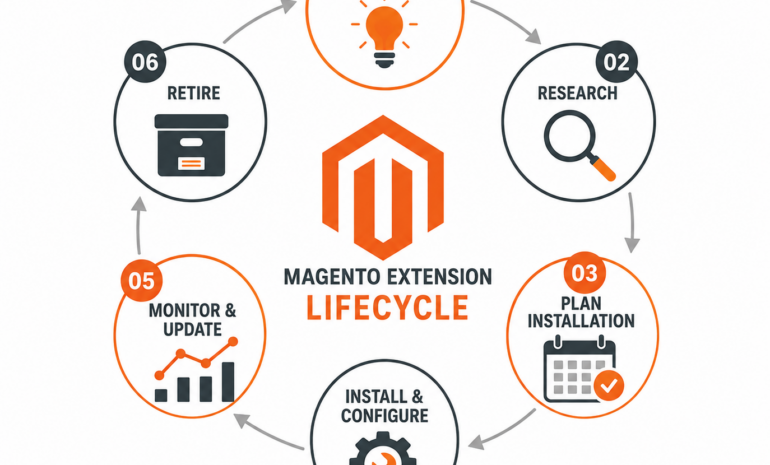
Create an Extension Review Process
Successful Magento stores rarely install extensions without a structured evaluation process.
A typical review process may include:
Business Need Assessment
Determine whether the extension solves a genuine business challenge.
Technical Review
Evaluate compatibility, security, and performance considerations.
Testing
Install and test in a staging environment before production deployment.
Performance Validation
Measure performance impact after implementation.
Ongoing Monitoring
Monitor functionality, updates, and compatibility over time.
This approach reduces risk and supports long term store stability.
Signs You Should Avoid Installing an Extension
Businesses should proceed cautiously if an extension:
- Has not been updated recently
- Lacks documentation
- Has poor reviews
- Creates performance concerns
- Overlaps with existing functionality
- Has limited support availability
- Raises security concerns
Sometimes the best extension decision is deciding not to install one.
Final Thoughts
Magento extensions play an important role in helping businesses customize and expand their ecommerce capabilities.
However, every extension added to a store introduces additional complexity that must be managed carefully.
The most successful Magento merchants do not evaluate extensions solely on features. They consider performance, security, compatibility, support, maintenance requirements, and long term business value.
By reviewing these factors before installation, businesses can make more informed decisions, reduce operational risks, and build a stronger foundation for sustainable ecommerce growth.
The goal is not simply to add more functionality. The goal is to add the right functionality while maintaining a stable, secure, and high performing Magento store.
Frequently Asked Questions
Why should businesses review Magento extensions before installation?
Extensions can affect performance, security, compatibility, maintenance requirements, and future upgrades. Proper evaluation helps reduce risk.
Can too many Magento extensions slow down a store?
Yes. Excessive extensions can increase database activity, server processing, and frontend resources, potentially affecting performance.
How can businesses check extension compatibility?
Review Magento version requirements, PHP compatibility, hosting requirements, and developer documentation before installation.
Are all Magento extensions safe?
No. Security standards vary significantly between developers. Businesses should evaluate extension quality and maintenance history carefully.
How often should extension audits be performed?
Most businesses benefit from reviewing extensions regularly, especially before upgrades or major platform changes.
What is the biggest mistake businesses make with Magento extensions?
Installing extensions without evaluating long term business value, compatibility, performance impact, and maintenance requirements.