 bootsgrid
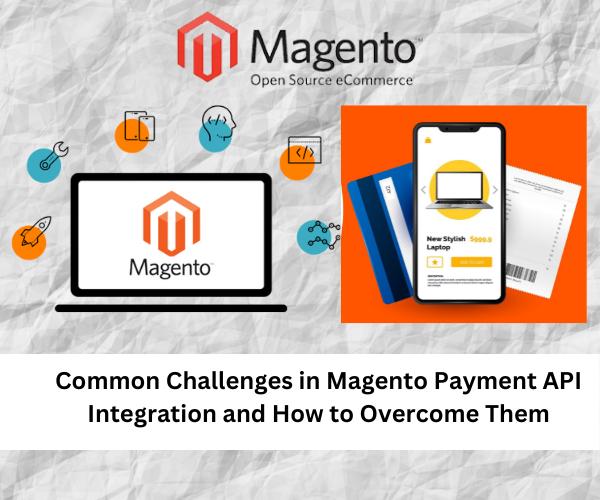
Integrating payment solutions into your e-commerce store is a critical step in ensuring smooth transactions and enhancing customer experience. For Magento users, leveraging the right payment API can significantly streamline the checkout process and expand payment options. However, integrating payment gateways with Magento can present several challenges. This blog delves into common issues encountered during Magento payment API integration and provides solutions to address them effectively.
- Understanding Magento Payment Integration
Before diving into the challenges, it’s crucial to understand what Magento payment integration entails. This process involves connecting your Magento store with various payment gateways and APIs to handle transactions securely. With Magento2 payment integration, you can use advanced features and functionalities to manage payments more efficiently.
Magento payment API provides a standardized way to communicate with payment gateways, allowing you to accept various payment methods, including credit cards, digital wallets, and bank transfers. Similarly, Adobe Commerce Payments (formerly Magento Commerce) offers built-in solutions and APIs to enhance payment processing.
- Common Challenges in Magento Payment API Integration
Challenge 1: Compatibility Issues
One of the primary hurdles in Magento payment integration is ensuring compatibility between your Magento version and the payment gateway. Different gateways may have specific requirements or features that are not always compatible with every Magento version.
Solution:
- Check Compatibility: Before selecting a payment gateway, verify that it supports your Magento version. For Magento2 payment integration, ensure the gateway is compatible with Magento 2’s architecture.
- Use Updated Extensions: Always opt for the latest version of payment gateway extensions. Developers frequently update these extensions to ensure compatibility with new Magento versions.
- Consult Documentation: Review the documentation provided by both Magento and the payment gateway for compatibility requirements.
Challenge 2: Security Concerns
Handling payment information involves sensitive data, making security a top priority. Magento payment API integration must adhere to security standards like PCI-DSS (Payment Card Industry Data Security Standard) to protect customer data.
Solution:
- Implement SSL Certificates: Ensure your Magento store uses SSL certificates to encrypt data transmitted between the customer’s browser and your server.
- Regular Updates: Keep your Magento installation and payment API extensions updated to protect against vulnerabilities.
- Use Secure Payment Gateways: Choose gateways with robust security features, such as tokenization and fraud detection.
Challenge 3: Configuration Complexities
Setting up and configuring a payment gateway can be complex, especially when dealing with multiple payment methods or currencies. The configuration process for Magento2 payment gateway can involve multiple steps and settings adjustments.
Solution:
- Follow Detailed Guides: Refer to the setup guides provided by the payment gateway and Magento. Many gateways offer step-by-step instructions for configuration.
- Seek Professional Help: If you encounter difficulties, consider consulting with a Magento expert or a developer experienced in Magento payment gateway integration.
- Test Thoroughly: Perform extensive testing in a staging environment before going live to ensure that all configurations work correctly.
Challenge 4: Handling Multiple Currencies and Payment Methods
If your Magento store caters to a global audience, handling multiple currencies and payment methods can be challenging. Ensuring that the Magento payment API can handle various currencies and payment options smoothly is essential for a seamless customer experience.
Solution:
- Leverage Multi-Currency Features: Use Magento’s multi-currency capabilities to manage different currencies. Ensure that your payment gateway supports these features.
- Configure Payment Methods: Set up payment methods that align with your target market’s preferences. For example, integrate popular local payment options if you have an international customer base.
- Test Transactions: Regularly test transactions in different currencies to ensure that your payment gateway handles them correctly.
Challenge 5: Error Handling and Debugging
Errors can occur during payment processing due to various factors, including integration issues, server problems, or API conflicts. Efficient error handling and debugging are crucial for maintaining a smooth payment experience.
Solution:
- Implement Logging: Use Magento’s logging features to track errors and issues related to payment processing. This can help identify and address problems quickly.
- Monitor API Responses: Regularly monitor the responses from the Adobe Commerce Payment API and other payment APIs for any anomalies or errors.
- Seek Support: Contact the payment gateway’s support team if you encounter persistent issues. They can provide insights or solutions for specific problems.
Challenge 6: User Experience Optimization
The payment process should be seamless and user-friendly. A complex or cumbersome checkout experience can lead to cart abandonment and lost sales. Ensuring that the payment gateway integrates smoothly with your Magento store’s user interface is crucial.
Solution:
- Optimize Checkout Flow: Simplify the checkout process to reduce friction. Ensure that the payment gateway’s interface aligns with your store’s design and user experience.
- Mobile Responsiveness: Ensure that the payment gateway works effectively on mobile devices, as many customers shop using their phones.
- Gather Feedback: Collect feedback from customers about their payment experience and make improvements based on their input.
- Utilizing Adobe Commerce Payments and APIs
For those using Adobe Commerce Payments or considering its integration, it offers a suite of built-in payment solutions that can simplify the process. Adobe Commerce’s payment APIs are designed to work seamlessly with Magento, providing an integrated and secure payment experience.
- Adobe Commerce Payment API: Use the API to manage transactions, process payments, and handle refunds efficiently. Adobe Commerce provides detailed documentation and support to help with integration.
- Leverage Built-in Features: Take advantage of built-in features like fraud prevention, secure tokenization, and seamless checkout options offered by Adobe Commerce Payments.
- Best Practices for Smooth Integration
To ensure a successful Magento payment API integration, follow these best practices:
- Plan Ahead: Conduct thorough research and planning before starting the integration process. Understand your payment gateway’s requirements and Magento’s capabilities.
- Use Reliable Extensions: Choose well-supported and reputable payment gateway extensions from trusted sources.
- Regular Maintenance: Continuously monitor and maintain your payment integration to ensure it functions correctly and stays secure.
- Stay Informed: Keep up with updates and changes in both Magento and payment gateway technologies to adapt and optimize your integration.
Conclusion
Integrating a Magento Payment Gateway with your online store can present several challenges, but with careful planning and execution, these can be effectively managed. By addressing compatibility issues, ensuring security, simplifying configuration, handling multiple currencies, and optimizing user experience, you can achieve a seamless payment processing system.
Utilize resources such as Adobe Commerce Payment API to enhance your Magento payment integration. Stay proactive in monitoring and updating your payment solutions to provide the best possible experience for your customers.